What Information Is Required to Design a Residential Tower Sales Website and App?
What Information Is Required to Design a Residential Tower Sales Website and App?
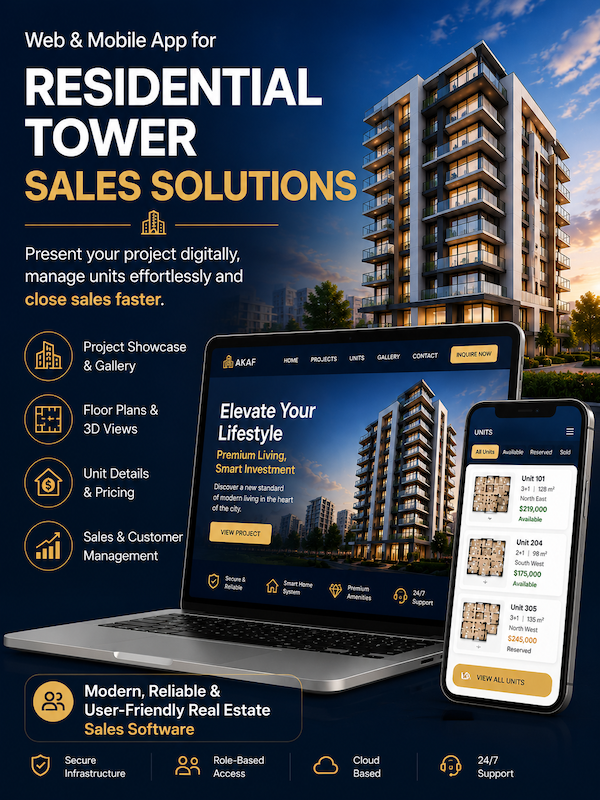
Designing a website or mobile application for selling residential units in a tower involves much more than creating a few promotional pages.
Potential buyers need clear access to project details, building amenities, floor layouts, available units, pricing, images, payment terms, and information about the construction company.
To build a professional, trustworthy, and sales-focused real estate platform, the project owner or developer should provide the following information to the website and app development team.
1. About Us Information
The About Us page should introduce the construction company, its experience, expertise, background, and previous projects.
The following information is required:
Full company name
Year the company was established
Main areas of expertise
Construction and development experience
Awards, certifications, and licenses
A short description of the company’s mission and vision
A high-resolution company logo
Contact and corporate information
If the company has completed or launched similar projects, the following details should be provided for each project:
Project name
Construction or launch year
Project location
Project status, such as completed, under construction, or delivered
A short project description
High-quality project images
Images must be provided for every project included in the company portfolio.
Example page structure:
https://site.propertycareapp.com/siraj/about-us/
2. General Project Information
The project details page is one of the most important sections of a residential tower website.
It should provide prospective buyers with all the essential information they need to understand the project before contacting the sales team.
Required information includes:
Project or tower name
Full project address
Geographic location
Name of the construction company
Project start date
Estimated completion date
Current construction status
Number of floors
Total number of residential units
Number of units per floor
Available unit sizes
Property type
Architectural concept
Design features
General building amenities
Purchase and payment terms
Project advantages and unique selling points
Building amenities should also be listed clearly, including:
Parking
Storage units
Elevators
Lobby
Fitness center
Swimming pool
Green spaces
Security systems
Concierge or security staff
Smart building systems
Nearby transportation and local access
Example project details page:
https://site.propertycareapp.com/siraj/project-details/
3. Project Images for the Gallery
High-quality images play an important role in building buyer confidence and increasing interest in the project.
A complete collection of project images should be provided for the gallery page.
Recommended images include:
Exterior building views
Images from different angles
Entrance and lobby images
Landscaping and green space
Parking areas
Shared amenities
Residential interiors
Construction progress images
Interior design renderings
Daytime and nighttime views
Architectural and 3D renderings
Images should preferably be delivered without watermarks and in a high-resolution format suitable for web and mobile use.
Example gallery page:
https://site.propertycareapp.com/siraj/gallery/
4. Contact Information
The Contact Us page should allow buyers, investors, and interested visitors to communicate quickly with the project sales team.
Required information includes:
Sales office phone number
Sales representative mobile numbers
WhatsApp number
Sales office address
Project address
Email address
Business hours
Social media links
Project location on the map
A short call-to-action inviting users to request information or schedule a visit
If the company has multiple offices or sales locations, the contact information for each location should be provided separately.
Example contact page:
https://site.propertycareapp.com/siraj/contact-us/
5. Main Tower Image
A high-quality hero image showing the overall tower is required for the homepage and project introduction sections.
The image may be:
A real photograph
An architectural rendering
A 3D visualization
A digitally enhanced project image
The image should have a clean composition, high resolution, and enough empty space for headings, buttons, or promotional text.
Example image:
https://site.propertycareapp.com/assets/images/borj3.png
6. 3D Images of Each Floor
To help buyers understand the location and layout of units, a floor plan or 3D image should be provided for every floor.
Each floor image should clearly display:
Floor number
Unit locations
Unit numbers
Unit entrances
Elevators
Staircases
Shared areas
Building orientation
Approximate unit sizes
These images allow potential buyers to review unit placement and floor organization before visiting the sales office.
Example 3D floor image:
https://site.propertycareapp.com/assets/images/unit/final_unit.jpg
7. Complete Residential Unit Information
Each residential unit should have a dedicated section or detail page.
Providing accurate unit information allows users to review available options, compare properties, and contact the sales team with a clearer purchase intention.
Required information for each unit includes:
Unit code or unit number
Floor number
Availability status
Total area
Number of bedrooms
Number of bathrooms
Number of parking spaces
Storage availability
Unit orientation
View type
Balcony or terrace
Special unit features
Total price
Price per square foot or square meter
Down payment amount
Installment or financing terms
Estimated delivery date
Additional notes
Photos, architectural plans, and unit-specific renderings should also be provided whenever available.
To prevent errors and make data entry easier, all unit details and pricing information should be submitted using the provided Excel template.
8. Recommended File Formats
To ensure a faster and more organized development process, content should be delivered in the following formats:
Written content in Microsoft Word or Google Docs
Unit specifications and pricing in Microsoft Excel
Logos in SVG or PNG format
Images in JPG, PNG, or WebP format
Floor plans and 3D renderings in high resolution
Videos in MP4 format
Project location as a Google Maps link
Files should also be named clearly and consistently.
Examples:
tower-front-view.jpg
floor-05-plan.jpg
unit-1203-interior.jpg
unit-1203-floor-plan.jpg